How to Stop Loan App Harassment in India: RBI Rules Ban Calls to Your Contacts
Cyber Safety 15 min read By Richa Singh
In this articleTable of contents11
Last updated: 26 November 2026
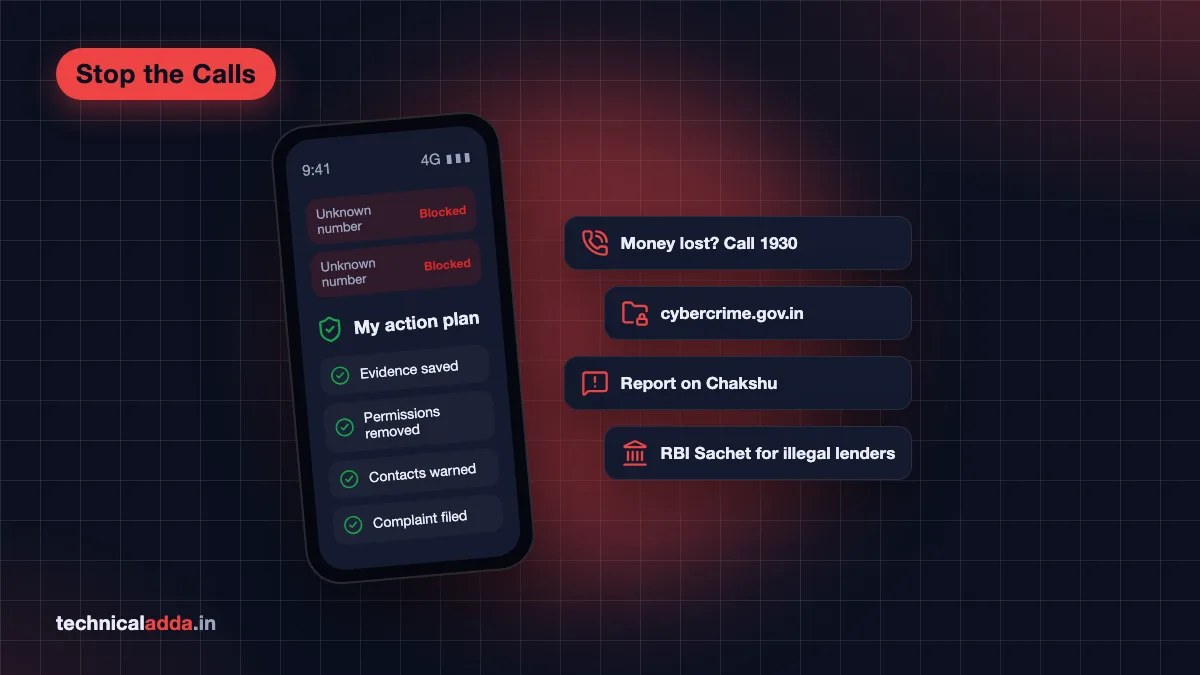
You can stop most loan app harassment within a day or two, and you don't have to face it alone. Save the evidence, cut the app's access to your phone, tell your contacts before the app does, and report it on cybercrime.gov.in or by calling 1930. Threats, abusive calls to your family and morphed photos are against RBI rules and are crimes, whether or not you owe money.
This guide covers how to stop loan app harassment in India step by step: what to do in the first hour, how to check if the app is legal, where each complaint goes, and how to handle the fear of photos being shared. It is general information, not legal advice.
Quick answer: To stop loan app harassment in India, don't pay under threat. Screenshot every message and call log, revoke the app's permissions and uninstall it, warn your contacts, then file a complaint on cybercrime.gov.in or call 1930. Report the numbers on Sanchar Saathi Chakshu and an unregistered lender on RBI Sachet.
First hour: what to do right now
If calls and messages are coming in right now, do these five things first. They take less than an hour and they stop the situation from getting worse.
- Don't send any more money. Payments made under threat rarely end the harassment. Illegal apps often ask for "extension fees" again and again.
- Don't argue on calls. Say nothing or hang up. Anything you say can be twisted into the next threat.
- Take screenshots. Messages, call logs, the app's loan screen, payment receipts and any photos they sent.
- Tell one person you trust. A family member or friend who knows what's happening makes every later step easier.
- If anyone threatens your physical safety, call 112. That is the national emergency number.
If you already lost money to the app through a fraudulent charge or a payment you were tricked into, call the national cyber crime helpline 1930 today. Speed matters for money cases.
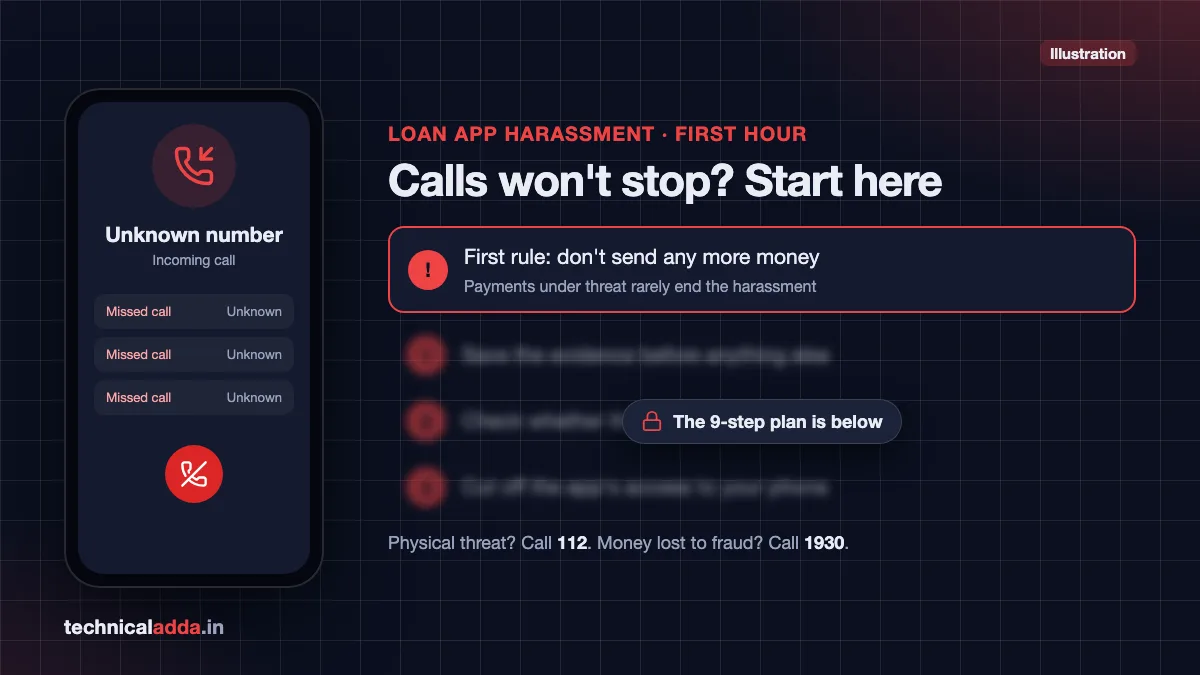
The first rule is to stop paying under threat; the 9 steps below show how to collect evidence, cut off the app and report it.
How to stop loan app harassment in India: 9 steps
These steps work in this order: evidence first, then shut off access, then report. Skipping straight to uninstalling the app can delete proof you will need.
Step 1: Save the evidence before anything else
Make a folder on your phone or laptop and put everything in it:
- Screenshots of every threatening SMS, WhatsApp chat and social media message, with the sender's number visible
- Your call log showing the numbers and times of calls
- The app's name, its Play Store page link and the loan screen showing amount, charges and due date
- UPI or bank statements showing money received and money paid
- Any morphed photo or message sent to your contacts (ask them to forward screenshots to you)
Back the folder up to cloud storage or email it to yourself. Police and the cyber crime portal will ask for these files.
Step 2: Check whether the lender is regulated
Before you decide anything about money, find out who actually lent it. The next section shows how to check the RBI list in two minutes. A legal lender has rules it must follow. An unregistered app has no legal right to your contacts or your photos at all.
Step 3: Cut off the app's access to your phone
Most harassment starts because the app copied your contacts and photos. Stop it from collecting more:
- Open Settings > Apps > [loan app] > Permissions and set Contacts, Photos and videos, Files, Location, Phone, SMS and Camera to Don't allow.
- Check Settings > Apps > Special app access for Device admin apps, Notification access and Display over other apps. Turn off anything linked to the loan app.
- Uninstall the app.
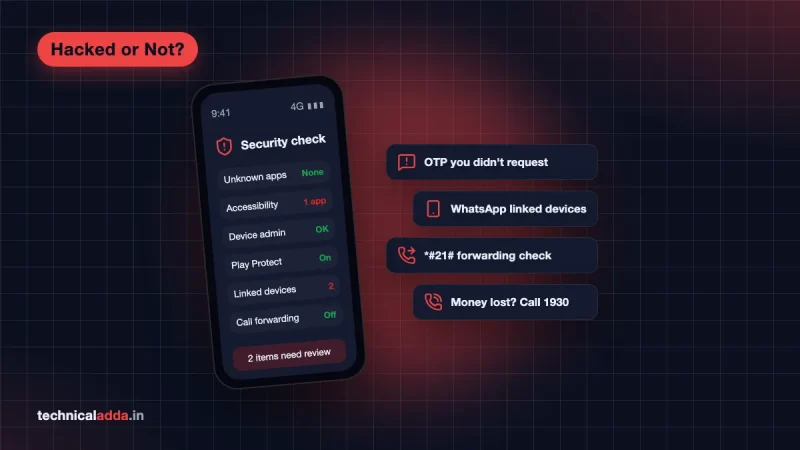
Uninstalling doesn't delete data the app already uploaded, so keep going with the steps below. If you also installed an APK file from a link, run through our guide on how to check if your phone is hacked.
Step 4: Warn your contacts before the app does
The app's main weapon is shame. Take it away by telling people first. Send a short message to family, close friends and your office group if needed:
"My number was misused by an illegal loan app. If you get any message or photo about me from unknown numbers, please ignore it, don't reply, and send me a screenshot. I have reported it to cyber crime."
People who get this message first almost always ignore the app's messages later. It also gives you more evidence.
Step 5: File a complaint on cybercrime.gov.in or call 1930
The National Cyber Crime Reporting Portal (opens in new tab) accepts complaints about online harassment, extortion and financial fraud. Choose the women and child related crime option if the harassment involves obscene or morphed images of a woman or child, and the general cyber crime option for everything else. Upload the evidence from Step 1 and note your acknowledgement number.
Call 1930 if money has been taken from you or you were made to pay through fraud. The helpline exists to act quickly on financial cyber fraud.
Step 6: Report the numbers on Chakshu and block them
Chakshu on Sanchar Saathi (opens in new tab) is the Department of Telecommunications service for reporting suspected fraud calls, SMS and WhatsApp messages. Its own page lists sextortion and financial fraud among the categories, and it accepts reports of communication received within the last 30 days. Report each number, then block it.
On WhatsApp, open the chat, tap the contact name and choose Report and Block. Report before you delete chats, because the screenshots matter more.
Step 7: Report the lender to RBI Sachet or the RBI Ombudsman
Where you complain depends on who the lender is:
- Unregistered or illegal app: report it on RBI Sachet (opens in new tab), the portal where citizens report unregulated financial activity. Its "Help your Regulator" option also lets you share information about an unauthorised lender anonymously.
- App linked to a bank or NBFC: complain to the lender's grievance redressal officer first (their name and contact must be shown in the app or on the website). If you get no reply within 30 days, or the reply doesn't solve it, file on the RBI Complaint Management System (opens in new tab) or call the RBI contact centre on 14448.
Step 8: Give a written complaint to your local police station
For threats, extortion or images being shared, also give a written complaint at your nearest police station or the district cyber cell, with a printout of your evidence and the cybercrime.gov.in acknowledgement number. Ask for a receipt or a copy stamped as received.
Step 9: Lock down your money and identity
Illegal loan apps often collect your PAN, Aadhaar and a selfie at sign-up. A few checks protect you from what they do next:
- Remove any UPI AutoPay mandate the app set up; our guide on how to cancel UPI AutoPay shows the steps in each UPI app.
- Lock your Aadhaar biometrics so your Aadhaar can't be used for biometric authentication without you; see Aadhaar biometric lock and unlock.
- Check mobile connections issued in your name through the "Know Mobile Connections in Your Name" service on Sanchar Saathi.
- Change the passwords of your email and banking apps, and turn on two-factor login.
Is the loan app legal? How to check in 2 minutes
A legal loan app is either run by an RBI-regulated bank or NBFC, or works for one and names it clearly. RBI now publishes a directory of digital lending apps reported by regulated banks and NBFCs on its website. Search the app's name there.
Then check these signs:
| Check | Legal lender | Illegal loan app |
|---|---|---|
| RBI directory of digital lending apps | App appears, linked to a named bank or NBFC | Not listed |
| Lender's name in the app and loan papers | Bank or NBFC name shown on the Key Fact Statement | Vague or no company name |
| Permissions asked | Camera, mic or location only for KYC, with consent | Contacts, photos, files and call logs |
| Charges | All-inclusive cost shown upfront | Hidden "processing fee", half the loan deducted at payout |
| Repayment period | Matches what was shown before you accepted | 7 days or less, with daily penalties |
| Money flow | Paid into and repaid to the lender's bank account | Repayment to personal UPI IDs or random accounts |
| Recovery behaviour | Calls between 8 am and 7 pm, no threats | Abuse, calls to contacts, morphed photos |
Google Play's policy for personal loan apps says only apps on the RBI list of digital lending apps can be submitted for review in India, and it bars these apps from asking for contacts, photos and storage permissions. If an app asked you for contacts, that alone is a strong warning sign.
There is no official public list of "loan apps banned in India". The government blocks apps under Section 69A of the IT Act, and those orders are mostly not published. Even when a batch of illegal loan apps is blocked, new ones keep appearing under new names, which is why the RBI directory check is more useful than any banned list.
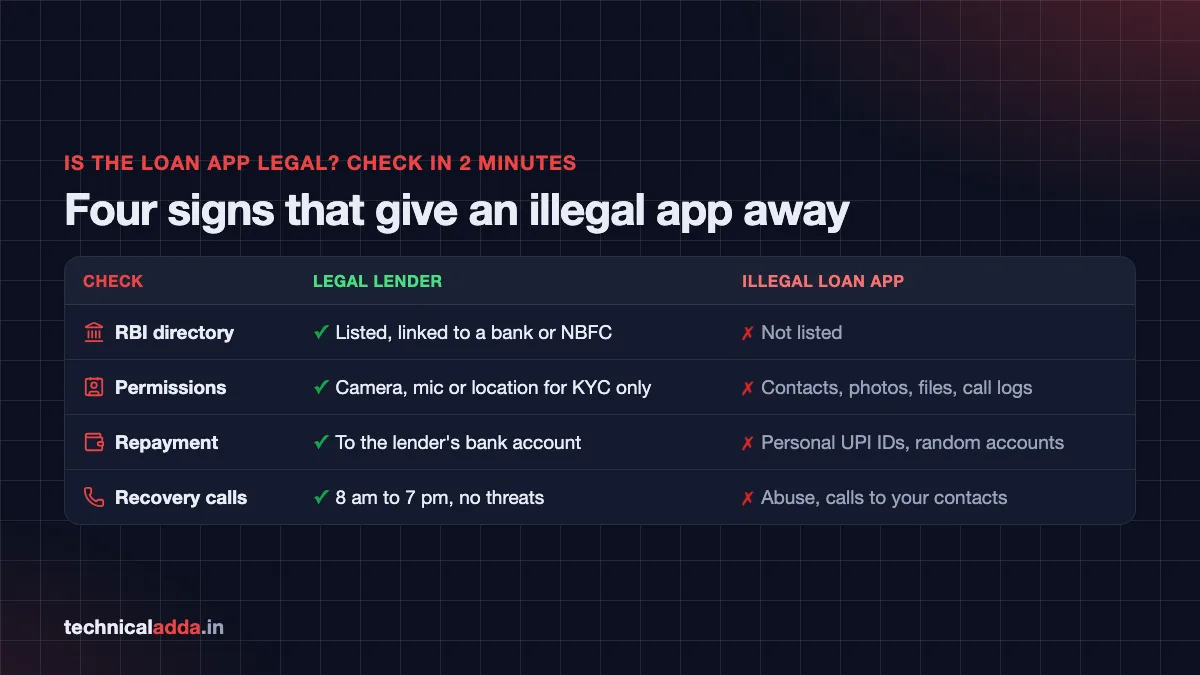
Four quick checks separate a legal lender from an illegal loan app: RBI directory, permissions, repayment account and recovery calls.
What RBI rules say about loan apps and recovery
RBI rules protect borrowers of regulated lenders, and they also show you what an illegal app is doing wrong. Three sets of rules matter here.
RBI (Digital Lending) Directions, 2025. Issued in May 2025, these replaced the 2022 digital lending guidelines. Lenders and their apps must:
- Give a Key Fact Statement with the all-in cost before you sign
- Disburse and collect loans directly through the lender's bank account, not a third party's
- Avoid accessing your contacts, media, files and call logs; one-time access to camera, microphone or location is allowed only for KYC, with your consent
- Show a grievance redressal officer and resolve complaints, failing which you can approach RBI
Rules on recovery agents. RBI's August 2022 circular on recovery agents says regulated lenders and their agents must not intimidate or harass borrowers. It lists calling before 8 am or after 7 pm, threatening or anonymous calls, inappropriate messages, and acts meant to humiliate you publicly or intrude on the privacy of your family, referees and friends. The lender is responsible for what its agents do. You can read the RBI circular on recovery agents (opens in new tab) on the RBI website.
RBI Integrated Ombudsman Scheme. If a regulated lender ignores your complaint for 30 days or rejects it, the Ombudsman can take it up through the CMS portal. RBI's complaint portal now runs under the updated Reserve Bank – Integrated Ombudsman Scheme, 2026.
None of these rules let any lender, legal or illegal, contact people in your phonebook to shame you.
Loan app harassment complaint number and portals
Here is where each kind of problem goes. Most people need two or three of these, not all of them.
| Problem | Where to report | How |
|---|---|---|
| Money lost or taken through fraud | 1930 national cyber crime helpline | Call immediately, then file online |
| Threats, extortion, abuse, morphed photos | cybercrime.gov.in | Online complaint with screenshots |
| Fraud calls, SMS or WhatsApp messages | Chakshu on Sanchar Saathi | Report within 30 days of receiving |
| Unregistered lender or illegal app | RBI Sachet | Online complaint or anonymous tip |
| Regulated bank or NBFC's app or agent | Lender's grievance officer, then RBI CMS (14448) | After 30 days with no fix |
| Danger to your safety right now | 112 | Emergency call |
| Free legal advice | NALSA legal aid helpline 15100 | Call for guidance and a legal aid lawyer if eligible |
Loan app harassment can feel overwhelming. If you're struggling to cope, Tele MANAS, the government's free mental health helpline, is available on 14416. Talking to someone helps, and it's what many people in this situation wish they had done sooner.
If they threaten to share morphed photos
This is the threat that scares people most, and it is the one that works only if you stay silent. Morphed images are fake. Your contacts, once warned (Step 4), will see them for what they are.
What to do:
- Don't pay to "delete" photos. Paying signals that the threat works.
- Save the threat message and, if anyone receives the image, ask them to send you a screenshot of it with the sender number, then delete it from their phone.
- File on cybercrime.gov.in under the women and child related crime category if you are a woman, and the general category otherwise. Mention "morphed images" and "extortion" in the description.
- Report the sender number on Chakshu, which lists sextortion as a category.
- If an image is posted on a social media platform, use that platform's report option for non-consensual or fake intimate images, and keep the post link as evidence.
If a relative isn't sure whether an image is real, our guide to spotting AI-generated or edited images explains how fakes can be identified.
Should you repay the loan?
This depends on who lent the money, and only a lawyer can advise on your specific case. Here is how the situation usually looks:
- If the lender is an RBI-regulated bank or NBFC, the loan is a real debt with agreed terms. Harassment by its agents is still against RBI rules, and you can complain about the conduct while talking to the lender about a repayment plan.
- If the app is not linked to any regulated lender, it is an unregulated lender. Many such apps charge fees far beyond what was shown. Report it on Sachet and cybercrime.gov.in, keep proof of every payment, and get advice before paying anything more. The NALSA helpline 15100 can guide you on free legal aid.
In both cases, keep all payment proof, pay only to the lender's official account (never to a personal UPI ID), and put any agreement in writing.
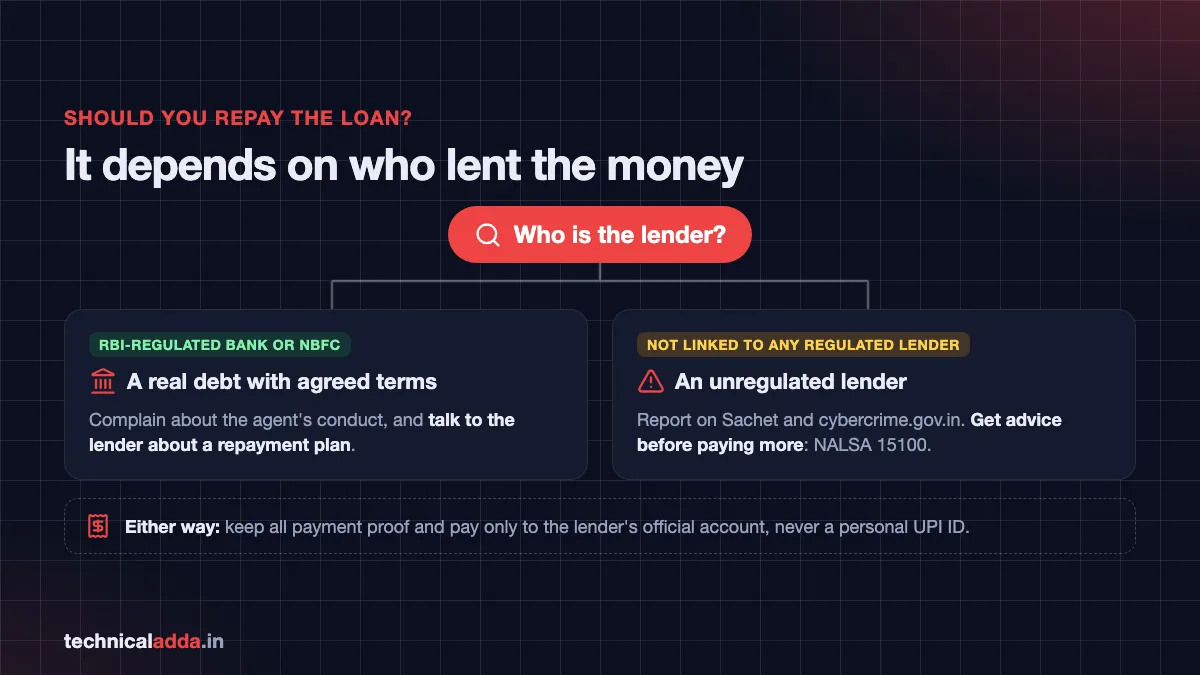
Whether to repay depends on who lent the money, and either way you pay only to the lender's official account, never a personal UPI ID.
How to avoid illegal loan apps next time
Most people who end up with these apps needed small, quick money and saw an ad. A few habits keep you out of this trap:
- Borrow only from apps you can find in the RBI directory of digital lending apps, linked to a named bank or NBFC.
- Never install a loan app from a link in an SMS, WhatsApp or Telegram message. Only from the Play Store or App Store, and even then check the developer.
- Deny Contacts and Photos permissions. A legal lending app doesn't need them to give you a loan.
- Read the Key Fact Statement before accepting. If you can't see the total cost, don't accept.
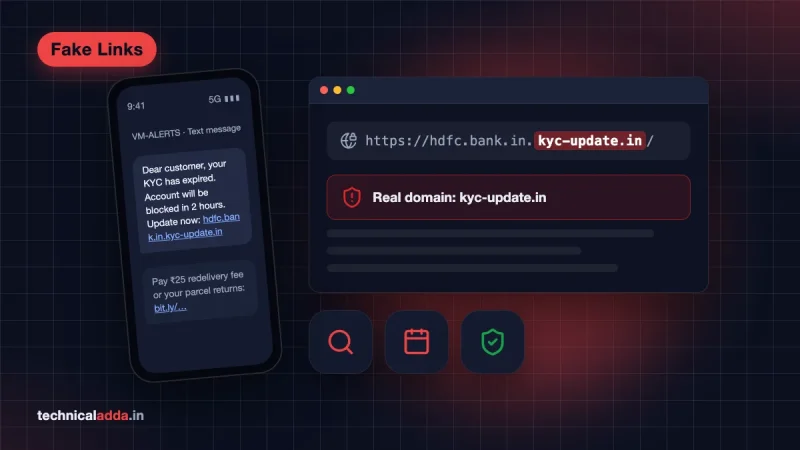
- Check links before you tap. Many fake lenders run lookalike websites; our guide on how to check a fake website or link shows quick checks.
- Look at alternatives for small amounts: salary advances, a bank's pre-approved personal loan, or borrowing from family.
Scam calls that pretend to be police or RBI officials are a related trap. Read our explainer on the digital arrest scam so you can recognise those calls too. More guides are in our cyber safety section.
The short version to keep on your phone
- To stop loan app harassment in India, save evidence first, then revoke permissions, warn contacts and report.
- Call 1930 for money lost to fraud; file threats and morphed photos on cybercrime.gov.in.
- Report fraud numbers on Sanchar Saathi Chakshu and illegal lenders on RBI Sachet.
- Check the app in RBI's directory of digital lending apps; regulated lenders can't access your contacts or photos.
- RBI rules bar recovery agents from threats, calls to your contacts and calls before 8 am or after 7 pm.
- Don't pay under threat, and get legal advice (NALSA 15100) before paying an unregulated app.
Save your screenshots tonight, then report
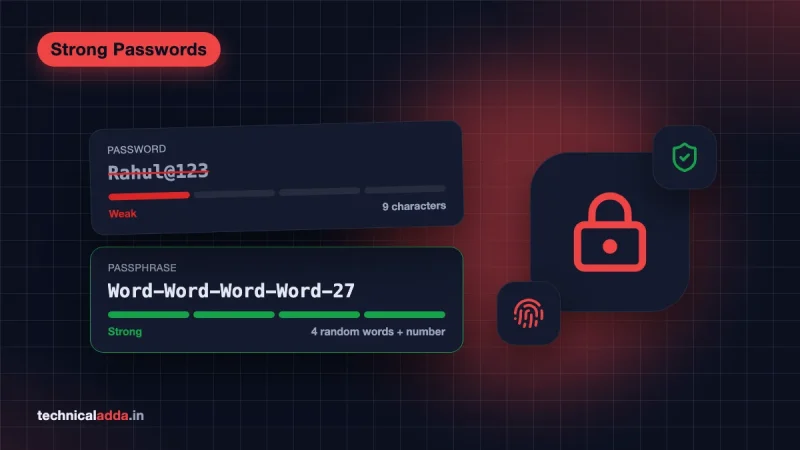
Take back control in the right order: save evidence, shut off the app's access, warn your contacts, and report it on cybercrime.gov.in, 1930, Chakshu and RBI Sachet. That is how to stop loan app harassment in India without paying under threat. The threats feel enormous on day one, but they lose their power once the people around you know the truth. Take the first step tonight by saving your screenshots, then protect your accounts with our guide to strong password examples.
FAQ
Frequently Asked Questions
How can I stop loan app harassment in India?
Save screenshots of every threat and call log, revoke the app's contacts and photos permissions and uninstall it, and warn your contacts before the app messages them. Then file a complaint on cybercrime.gov.in, call 1930 if money was taken through fraud, report the numbers on Sanchar Saathi Chakshu, and report an unregistered lender on RBI Sachet.
What is the loan app harassment complaint number?
Call 1930, the national cyber crime helpline, if you have lost money through fraud, and file a written complaint on cybercrime.gov.in for threats, abuse or morphed photos. For a regulated bank or NBFC's app, the RBI contact centre is 14448 after you have complained to the lender. In an emergency, call 112.
How do I file a fake loan app complaint?
Go to cybercrime.gov.in, choose the report cyber crime option, and describe the app, the threats and any payments, uploading screenshots as evidence. Also report the app on RBI Sachet, the portal for unregulated financial activity, and report the calling numbers on Chakshu. Keep the acknowledgement numbers and give a copy to your local police station.
Can a loan app call my contacts?
No lender is allowed to shame you by contacting your phonebook. RBI's digital lending rules bar regulated lenders' apps from accessing your contacts, and RBI's rules on recovery agents prohibit intruding on the privacy of your family, referees and friends. Apps that call your contacts are either breaking RBI rules or operating illegally, and you can report them.
Which loan apps are banned in India?
There is no official public list. The government blocks illegal loan apps under Section 69A of the IT Act, but blocking orders are mostly not published, and blocked apps often return under new names. The reliable check is RBI's directory of digital lending apps: if an app isn't listed, avoid it.
What should I do if a loan app threatens to share morphed photos?
Don't pay. Warn your contacts that any image they receive is fake, save the threat and any screenshots people send you, and file a complaint on cybercrime.gov.in, using the women and child related crime option if you are a woman. Report the number on Chakshu, which covers sextortion, and give a written complaint to your local police.
Do I have to repay an illegal loan app?
That is a legal question that depends on your case, so speak to a lawyer or call the NALSA legal aid helpline 15100. Keep proof of the amount you actually received and every payment you made. Never pay to a personal UPI ID, and never pay because of threats. Report the app on RBI Sachet and cybercrime.gov.in either way.
How do I check if a loan app is RBI approved?
Search the app's name in RBI's directory of digital lending apps, published on the RBI website. A legal app should be listed against a named bank or NBFC, and that lender's name should appear on your Key Fact Statement. Google Play also requires personal loan apps in India to be on this RBI list.
Can loan app agents call me at night?
Not if they work for a regulated lender. RBI's 2022 instructions on recovery agents prohibit calling borrowers before 8 am or after 7 pm for recovery, along with threats, anonymous calls and inappropriate messages. If a regulated lender's agent breaks this, complain to the lender's grievance officer and then to RBI's Complaint Management System if unresolved after 30 days.
Will uninstalling the loan app stop the harassment?
Uninstalling stops the app from collecting more data, but it doesn't delete contacts or photos it has already uploaded, so calls may continue for a while. Save your evidence before you uninstall, revoke permissions, warn your contacts and file complaints. Most people find that harassment fades once contacts are warned and the numbers are reported and blocked.