Battery Draining Fast Android Fix: One Battery Screen Usually Names the Culprit
How-To & Troubleshooting 16 min read By Pragya Singh
In this articleTable of contents14
Last updated: 12 November 2026
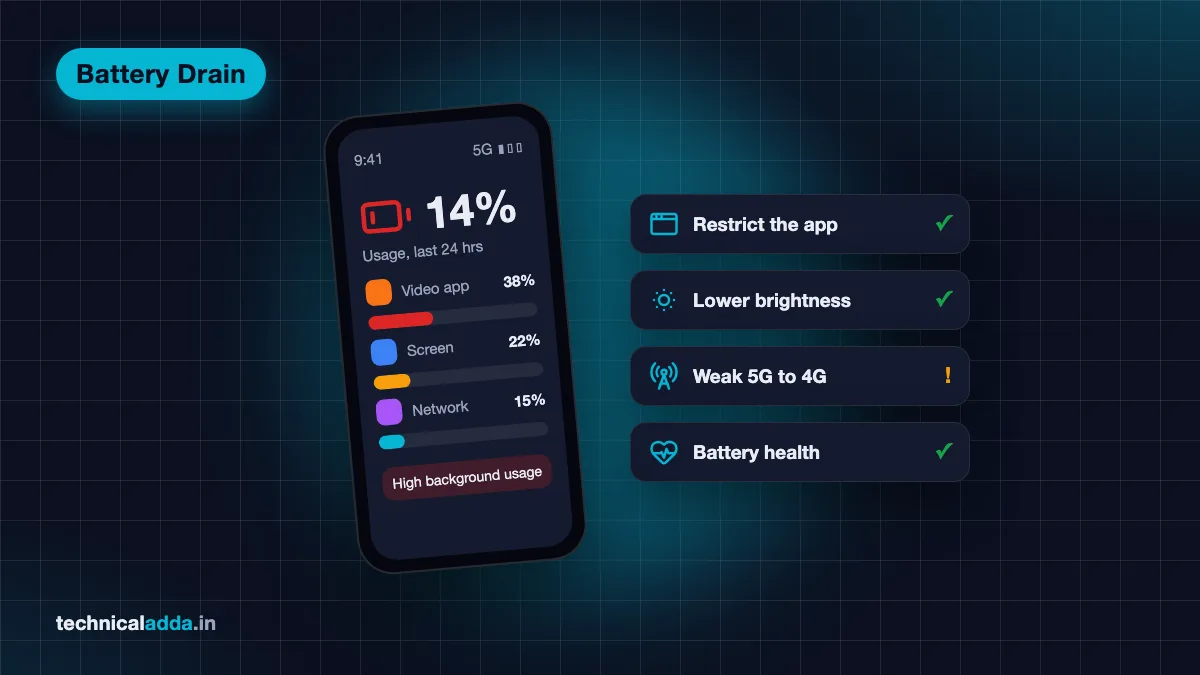
Most fast battery drain on Android comes from one of four things: a single app running in the background, a bright high-refresh screen, weak mobile signal, or a battery that has simply aged. Your phone already tells you which one. Open Settings > Battery, look at battery usage by app, and start there before you change anything else.
This battery draining fast Android fix works as a decision tree. Pick the symptom that matches yours (drain after an update, drain overnight while idle, drain with heating), run the checks in order and stop when the drain stops. It covers Samsung, Xiaomi, Redmi, POCO, Vivo, iQOO, Oppo, Realme, OnePlus and Pixel phones.
Quick answer: To fix fast battery drain on Android, open Settings > Battery and check which app used the most power, then restrict or uninstall it. Lower brightness and refresh rate, turn off location and Bluetooth when unused, and switch to 4G in weak 5G areas. After an update, allow a few days. If health is below 80%, replace the battery.
Start with the symptom you see
"Battery draining fast" covers several different problems. Find the row closest to yours and jump to that section. If nothing fits, start with battery usage, because it rules out the most causes in the least time.
| What you see | Most likely cause | Check first |
|---|---|---|
| One app at the top of battery usage | App stuck in the background or buggy update | Battery usage section |
| Drain started right after a system update | Phone re-optimising apps, or a buggy build | After an update section |
| Loses 10% or more overnight while idle | Background apps, sync, location or weak signal | When not in use section |
| Screen is the biggest item | High brightness, 120Hz refresh, long timeout | Screen settings section |
| Drains fast on mobile data, fine on Wi-Fi | Weak signal or patchy 5G | Network section |
| Drains fast and the phone gets hot | Heavy app, gaming, charging while using, malware | Heating section |
| Shuts down at 20% to 30%, or drops suddenly | Worn battery | Battery health section |
Most phones need only the first two or three checks. Battery replacement is the last stop, not the first.

If your phone is low by the evening commute, the battery usage screen shows whether one app or the battery itself is to blame.
Battery draining fast Android fix: check battery usage first
Every Android phone records which apps and parts of the system used battery since the last full charge or over the past 24 hours. That list answers the question faster than any tip.
Where to find it
- Pixel: Settings > Battery > Battery usage, then tap View by apps. Google's Pixel battery drain page (opens in new tab) also lists Battery diagnostics > Battery draining too quickly on Pixel 6 and later.
- Samsung Galaxy: Settings > Battery, then tap the battery graph to see usage per app.
- Xiaomi, Redmi, POCO: Settings > Battery, then the usage graph or "Battery usage" entry. Labels shift between MIUI and HyperOS versions.
- Vivo, iQOO, Oppo, Realme, OnePlus: Settings > Battery, then usage details. If the menu moved, type "battery usage" in the Settings search bar.
How to read it
Screen at the top is normal for a phone you use a lot. What you're looking for is an app that's high even though you barely opened it. That means it's running in the background.
Tap the app to see foreground and background time. Then pick one of these:
- Update it from the Play Store. A battery bug in an app is often fixed in the next version.
- Restrict background use. On Pixel, tap the app and choose "Allow background usage" to change it. Google recommends keeping apps on Optimised. On Samsung, use Background usage limits (covered below).
- Force stop it if it's stuck right now: Settings > Apps > the app > Force stop.
- Uninstall it if you don't need it. Repeat offenders that you rarely use aren't worth the battery.
Two entries confuse people. "Android System" and "Google Play services" are part of the phone and can't be removed; Google notes Play services can't even be force stopped. If either one is unusually high, the cause is often something they're doing for another app: location requests, sync or backups. Check location and accounts (next sections) before blaming them.
Battery draining fast after an update
Some extra drain after a big Android or One UI update is expected. Google's Pixel help page says it's normal for the battery to drain a little more than usual after a software update. Samsung India's battery drain page (opens in new tab) says consumption may rise for a while when you first start using a Galaxy phone, until it finishes optimising apps. Adaptive Battery, which learns which apps you use, can take up to a few weeks to fully settle after setup or a reset, according to Google.
Give it three to four days of normal use and full charges. If the drain is still bad after that, do this:
- Restart the phone. A restart clears services that got stuck during the update.
- Update all apps from the Play Store. Apps sometimes need an update to work properly on a new Android version.
- Check for a follow-up patch in Settings > Software update (Samsung) or Settings > System > Software update (Pixel). Makers often fix battery bugs in the next monthly patch.
- Recheck battery usage. A new top entry after the update points to the app that's misbehaving.
- Search your model in the brand's community forum. If hundreds of owners report the same drain on the same build, it's a software bug and the fix will come from the maker, not from your settings.
Don't factory reset in the first week after an update. It wipes the learning Adaptive Battery has done and restarts the optimisation from zero.
Battery draining when not in use
A phone sitting idle on a table overnight should lose only a few percent. If yours drops 10% to 20% while you sleep, something is keeping it awake.
Limit background apps
- Samsung: Settings > Battery > Background usage limits. Put rarely used apps in Sleeping apps (they refresh less) or Deep sleeping apps. Samsung says deep sleeping apps don't run in the background at all and only work when you open them, so don't put WhatsApp, banking or UPI apps there or you'll miss messages and OTP alerts.
- Pixel and most other phones: Open the app's battery setting and choose Restricted for apps that don't need to work in the background.
- Xiaomi and Redmi: Settings > Apps > Manage apps > the app > Battery saver, then pick the option that restricts background activity.
Turn off what you aren't using
Samsung's own advice is to switch off Wi-Fi, Bluetooth, GPS and auto sync when you're not using them. In practice:
- Location: Set apps that don't need it to "While using the app" or "Don't allow". Food delivery and cab apps don't need location in the background.
- Bluetooth: Leave it off if you don't use earbuds or a watch.
- Wi-Fi and Bluetooth scanning: Under Location settings, many phones scan for networks even with Wi-Fi off, to improve location. Turn these off if you don't need precise indoor location.
- Auto sync and backups: Check Settings > Accounts. Several accounts syncing mail, contacts and photos all night add up. Set photo backup apps to back up only while charging if they offer it.
Watch for weak signal at night
If your bedroom has one bar of signal, the phone keeps searching for a better tower all night. That shows up as "Mobile network" or "Phone idle" high in battery usage. Use Wi-Fi calling if your operator supports it (Jio and Airtel both offer it on supported phones), or turn on airplane mode with Wi-Fi on overnight if you don't need calls.
Screen settings that cost the most
On most phones the screen is the biggest single power user during the day. These settings make the most difference:
- Brightness: Keep adaptive or auto brightness on. Full brightness in the afternoon sun burns battery fast; indoors you rarely need more than half.
- Refresh rate: 120Hz feels smooth but uses more power than 60Hz. Samsung calls it Motion smoothness (Adaptive or Standard); Xiaomi, Vivo and Realme have it under Display. Adaptive modes drop the rate when the screen is still, which is a good middle path.
- Screen timeout: Set 30 seconds or 1 minute instead of 5 or 10 minutes.
- Dark mode: On AMOLED screens, dark pixels use less power, so dark mode helps most Samsung, OnePlus, Pixel and mid-range AMOLED phones. On LCD screens it makes little difference.
- Always-on display and lock screen wallpapers that move: Turn them off if you're chasing every percent.
Network: weak signal, 5G and hotspot
Network drain is common in India, where signal changes from room to room and city to town. Samsung lists weak signal as a cause of faster drain because the phone works harder to stay connected.
- Patchy 5G: If your area shows 5G one minute and 4G the next, the phone switches back and forth. Set the preferred network type to 4G/LTE in Settings > SIM or Mobile network settings and compare a day's drain. Switch back where 5G is solid.
- Mobile hotspot: Sharing data to a laptop is one of the heaviest things a phone does. Plug in while you use it.
- Dual SIM: A second SIM you rarely use still keeps its radio active. Turn it off in SIM settings if you don't need it all day.
- Wi-Fi with no internet: A phone connected to a router that has no internet keeps retrying in the background. If that's happening at home, our WiFi connected but no internet fix sorts it out.
Battery draining fast and phone heating
Drain and heat together mean the processor is working hard. Heat also wears the battery faster, so this combination is worth fixing quickly.
The common reasons:
- Gaming, camera and video calls. These are heavy by design. A warm phone during a long BGMI session is normal. A hot phone while sitting idle is not.
- Charging while using. Playing or streaming while charging makes the phone hot and charges it slowly. Our guide on which fast charger is best explains why a good charger matters too.
- Direct sun or a car dashboard. Indian summers push phones past safe temperatures quickly. Keep it shaded.
- A stuck app. Battery usage will show it. Force stop and update it.
- Malware. Unknown apps, pop-ups you didn't ask for, and drain with heat while idle can point to a malicious app. Check through our guide on how to check if your phone is hacked.
If heat is the main complaint, our full phone heating problem solution guide goes deeper into cooling and safe temperatures.
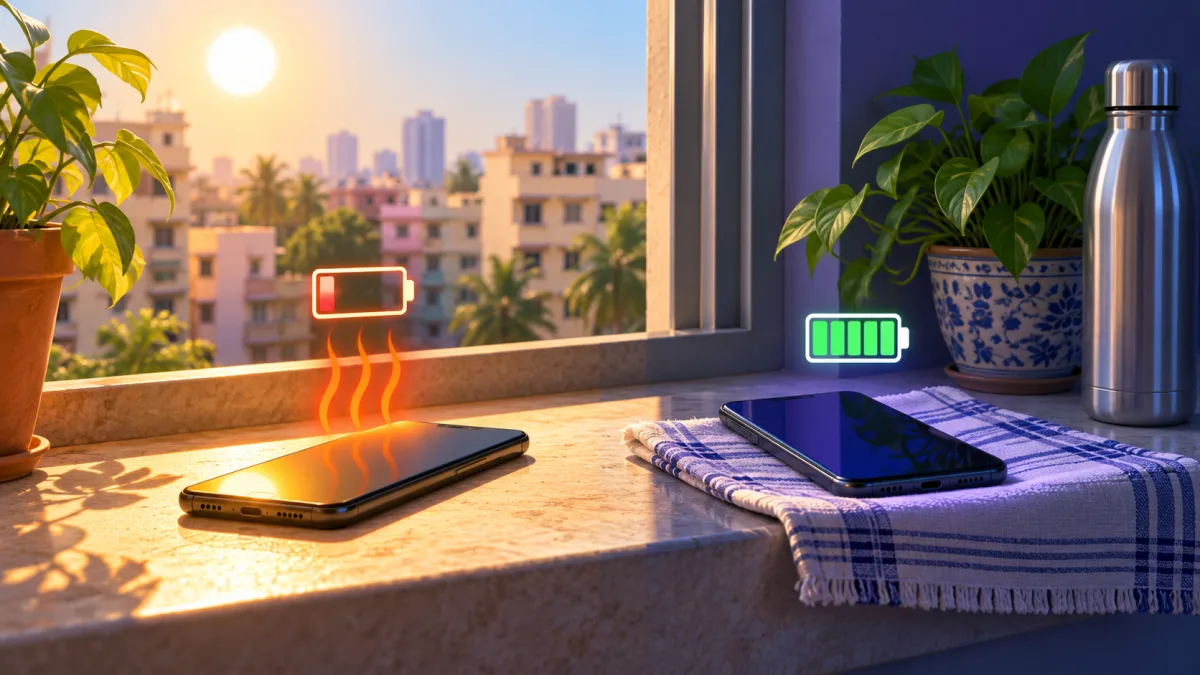
Heat drains the battery faster and ages it, so keep the phone out of direct sun, especially while charging.
Brand-by-brand fixes
The checks above work on every Android phone. Each brand adds its own tools and names, and Indian buyers mostly use these:
| Brand | Battery usage | Background control | Built-in check |
|---|---|---|---|
| Samsung Galaxy | Settings > Battery > tap the graph | Battery > Background usage limits (Sleeping, Deep sleeping) | Samsung Members > Diagnostics; Device care > Optimise now |
| Xiaomi, Redmi, POCO | Settings > Battery | Apps > Manage apps > app > Battery saver | Battery saver modes in Settings > Battery |
| Vivo, iQOO | Settings > Battery | App's battery or background power setting | Battery health in Settings on many models |
| Oppo, Realme, OnePlus | Settings > Battery | App's battery usage setting | Battery health in Settings on many models |
| Google Pixel | Settings > Battery > Battery usage | App > Allow background usage | Battery diagnostics (Pixel 6+), Battery health (Pixel 8a+) |
Samsung battery draining fast
Start with Settings > Battery > Background usage limits and turn on "Put unused apps to sleep" if your One UI version has it. Run Device care > Optimise now, which Samsung recommends for closing background apps and clearing unneeded files. For a straight answer on battery condition, open the Samsung Members app and run Phone diagnostics; Samsung's support page points to it for checking battery status. Power saving mode (Settings > Battery > Power saving) can limit CPU speed, dim the screen and turn on dark mode when you need to stretch a charge.
Redmi battery draining fast
On Xiaomi, Redmi and POCO phones, check the per-app Battery saver setting for apps you rarely use and choose the option that restricts background activity. Leave messaging and UPI apps on No restrictions so notifications still arrive. Turn on the Battery saver mode from Settings > Battery on days you're away from a charger. HyperOS renames menus between versions, so use the Settings search bar if a path doesn't match.
Vivo, Oppo, Realme and OnePlus
These brands bundle aggressive battery managers that already restrict background apps. If drain is high anyway, it's usually the screen, network or an app you allowed to run freely. Search "battery" in Settings to find the background power and battery health screens.
Is it the battery itself?
Lithium-ion batteries lose capacity with every charge cycle. Samsung's support page says capacity gradually drops with use and can't be restored. After two to three years of daily charging, a phone that used to last a day may not reach the evening.
Signs the battery is the problem, not the software:
- The percentage drops suddenly, for example from 30% to 5% in minutes.
- The phone switches off at 15% to 30% and shows a higher number when you turn it back on.
- It drains fast even after you've fixed apps, screen and network.
- The back panel or screen is lifting. That's a swollen battery. Stop charging it and take it to a service centre.
How to check battery health on Android
- Pixel 8a and later: Settings > Battery > Battery health. Google's battery health page (opens in new tab) says "Reduced" means capacity below 80%, and recommends replacing the battery at that point.
- Samsung: Samsung Members > Diagnostics > Phone diagnostics > Battery status.
- Vivo, Oppo, Realme, OnePlus: Many recent models show battery health in Settings > Battery.
- Xiaomi and older phones without a health screen: An authorised service centre can test it.
A replacement at an authorised service centre uses an original battery and keeps any remaining warranty valid. Ask for a written estimate first. If your phone also charges badly, run through our phone not charging fix before paying for a new battery, because a bad cable or port can look like a weak battery. Until you replace it, a power bank under ₹1,000 gets you through the day.
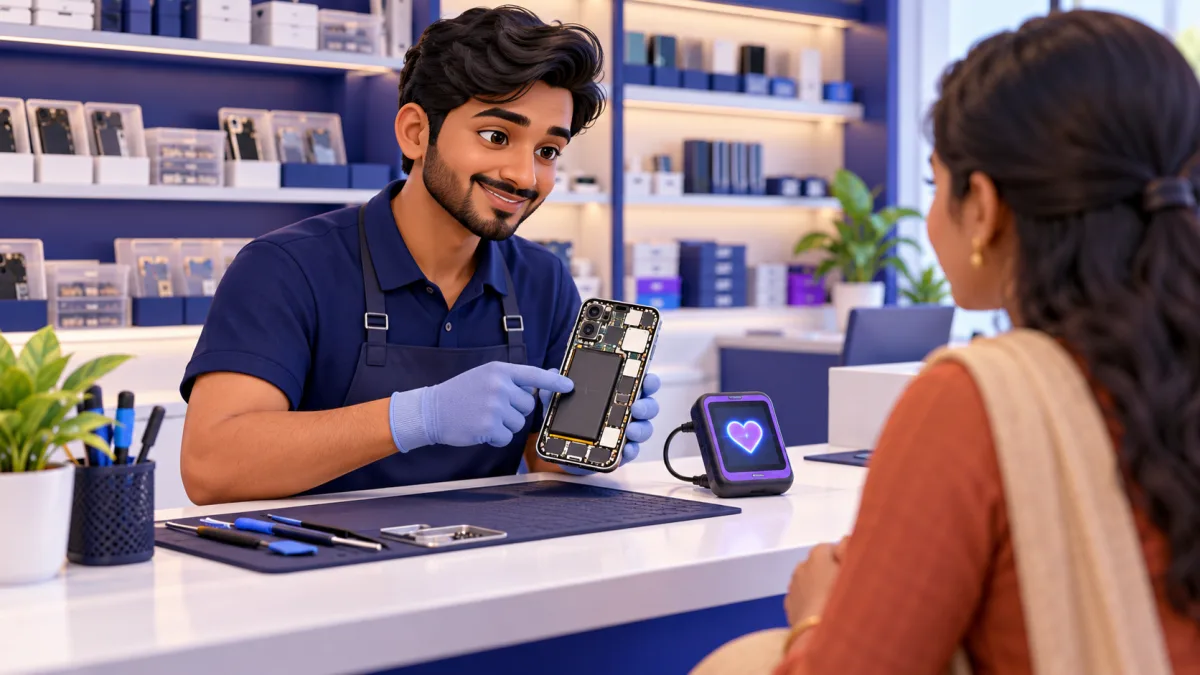
An authorised service centre can test the battery's health and fit an original replacement without voiding any remaining warranty.
Last resorts: safe mode and factory reset
If battery usage shows nothing clear and the drain continues, two more steps can settle it.
Safe mode starts the phone with only its built-in apps. On most Android phones, press and hold the power button, then long-press Power off on the screen until "Reboot to safe mode" appears. Use the phone in safe mode for a few hours. If the drain is normal there, a third-party app is the cause. Restart normally and remove recently installed apps one at a time.
Factory reset removes everything and reinstalls the system cleanly. Google calls it an advanced step, and it is: back up photos, WhatsApp chats and any app data first. Set the phone up fresh rather than restoring every old app, then add apps back slowly. Expect a few days of extra drain while the phone re-learns your usage.
If you're short on space before a backup, our phone storage full fix helps you clear room first.
Battery myths to ignore
Some old advice makes battery life worse, not better.
- Task killer and "battery saver" apps from the Play Store. Android already manages background apps. Third-party cleaners often run in the background themselves and show ads, which uses more power.
- Swiping away all apps from recents. Android pauses apps you aren't using. Closing them all means they start from scratch next time, which costs more than resuming.
- Draining to 0% to "calibrate" the battery. This only resets the percentage estimate. Deep discharges add wear to a lithium-ion battery.
- Never charging overnight. Modern phones stop at 100% or hold at 80% with battery protection settings. Leave those settings on and charge in a cool place.
More fixes for everyday phone problems are in our how-to guides.
Before you blame the battery, check these
- Open Settings > Battery first. The app at the top of battery usage is the answer in most cases.
- After a system update, give the phone three to four days before changing settings or resetting.
- Overnight drain usually comes from background apps, location, sync or weak signal. Restrict apps you rarely use but leave UPI and messaging apps alone.
- Screen brightness, 120Hz refresh and long timeouts are the biggest daytime drains.
- Drain with heat while idle points to a stuck app or malware.
- A battery below 80% health, sudden percentage drops or a lifting back panel mean the battery needs replacing.
Fix the settings first, replace the battery last
Run the battery draining fast Android fix in this order: check battery usage by app, give a fresh update a few days, cut background apps and unused radios, tame the screen, then look at signal and heat. Most phones get their battery life back by the third step at no cost. If the battery health is below 80% or the phone shuts down early, a replacement is the real fix. If your phone also runs hot, our phone heating problem solution guide is the next read.
FAQ
Frequently Asked Questions
Why is my Android battery draining so fast suddenly?
A sudden change usually has a single cause: a new or updated app running in the background, a recent system update, or a setting you changed, such as higher brightness or 120Hz. Open Settings > Battery and check usage by app. If one app is unusually high, update, restrict or uninstall it. If nothing stands out, check signal strength and battery health.
Why is my battery draining fast after an update?
After a system update the phone re-optimises apps and indexes data, so drain is often higher for a few days. Google's Pixel help calls a little extra drain after an update normal. Restart the phone, update all apps from the Play Store and use it normally for three to four days. If drain stays high, check battery usage for a misbehaving app and install the next security patch when it arrives.
Why is my phone battery draining when not in use?
Idle drain comes from apps running in the background, location requests, account sync, Bluetooth or Wi-Fi scanning, and weak mobile signal that keeps the phone searching for a tower. Restrict background use for apps you rarely open, set location to "While using the app", and turn off unused radios. A phone should lose only a few percent overnight.
How do I find which app is draining my battery?
Go to Settings > Battery and open battery usage. Pixel shows it under Battery usage > View by apps, and Samsung shows it when you tap the battery graph. Look for an app with high background use that you barely opened. Tap it to see foreground and background time, then restrict, force stop or uninstall it.
How do I stop my Samsung battery from draining fast?
Open Settings > Battery > Background usage limits and put rarely used apps into Sleeping or Deep sleeping apps. Run Device care > Optimise now, lower brightness, set Motion smoothness to Standard and turn on Power saving when needed. Check the battery's condition with Samsung Members > Diagnostics. Keep WhatsApp and UPI apps out of Deep sleeping so alerts still arrive.
Why is my Redmi phone battery draining fast?
On Redmi, Xiaomi and POCO phones, the usual causes are apps allowed to run freely in the background, a high refresh rate, weak signal and a recent HyperOS update. Check Settings > Battery for the top app, then open Apps > Manage apps > the app > Battery saver and restrict background activity for apps you rarely use. Use Settings search if menu names differ.
Is it bad if my phone gets hot and drains fast?
Occasional warmth during gaming, video calls or fast charging is normal. Heat with fast drain while the phone is idle isn't, and it ages the battery faster. Check battery usage for a stuck app, stop using the phone while it charges, keep it out of direct sun and look for unknown apps. A phone too hot to hold needs a service check.
How do I check battery health on Android?
Pixel 8a and later show it at Settings > Battery > Battery health, where "Reduced" means below 80% capacity. Samsung users can run Samsung Members > Diagnostics > Battery status. Many recent Vivo, Oppo, Realme and OnePlus phones show battery health under Settings > Battery. For other phones, an authorised service centre can test the battery's condition.
Does dark mode save battery on Android?
Yes, on phones with AMOLED or OLED screens, because dark pixels use less power. Most Samsung, OnePlus, Pixel and many mid-range phones in India use AMOLED panels. On LCD screens, dark mode saves very little because the backlight stays on. Lowering brightness and screen timeout saves more than dark mode on any phone.
When should I replace my phone battery?
Replace it when battery health shows below 80%, when the phone shuts down at 15% to 30%, when the percentage jumps around, or when the back panel starts lifting. A swollen battery is a safety risk, so stop charging it and visit a service centre. Many batteries reach this point after two to three years of daily charging.