n8n Local Setup on Windows or Mac in 10 Minutes: The Old Tunnel Option Is Gone
AI Coding 16 min read By Sanjeev Pratap Singh
In this articleTable of contents13
Last updated: 24 November 2026
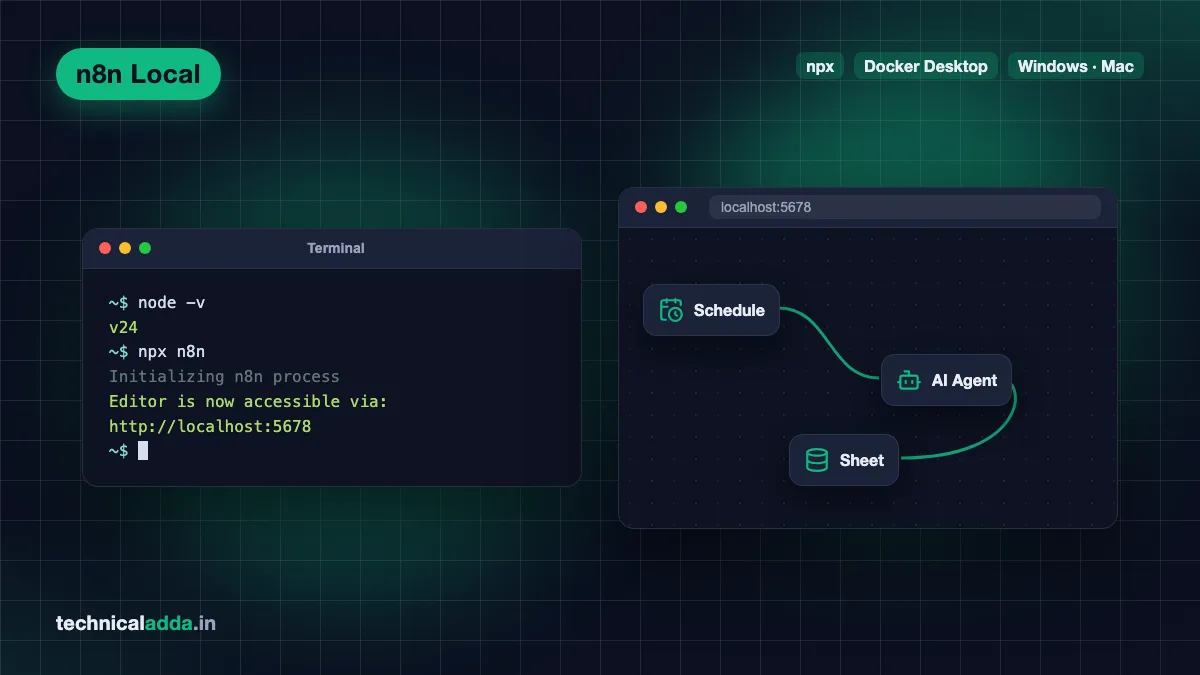
For a quick n8n local setup, run npx n8n if you already have Node.js 24, and open localhost:5678. For anything you want to keep, use Docker Desktop with a named volume, because n8n's docs say npm installs are deprecated from n8n 3.0. Both routes are free and work on Windows and Mac.
Running n8n on your own laptop is the cheapest way to learn it: no server bill, no execution limits, and your test data stays on your machine. Below you'll find both methods step by step, the Windows and Mac problems people hit most, how to test webhooks from outside, how to connect a local AI model with Ollama, and when it's time to move to a VPS.
Quick answer: To set up n8n locally, install Node.js 24 LTS and run
npx n8n, or install Docker Desktop, create a volume withdocker volume create n8n_data, and run then8nio/n8nimage with port 5678 and that volume mounted. Open http://localhost:5678 (opens in new tab) and create the owner account. Docker is the better long-term choice.
Which n8n local setup should you pick?
Pick npx if you want to look around n8n today and already use Node.js. Pick Docker Desktop if you'll build workflows you care about, plan to use AI nodes, or want the same setup you'll later run on a server.
| Point | npx n8n | npm install -g n8n | Docker Desktop (docker run) | Docker Compose |
|---|---|---|---|---|
| Install effort | One command | One command | Install Docker, two commands | Docker plus one small file |
| Needs Node.js | Yes, 20.19 to 24.x | Yes, 20.19 to 24.x | No | No |
| Where data lives | .n8n folder in your user folder |
.n8n folder in your user folder |
Docker volume n8n_data |
Docker volume n8n_data |
| Starts on boot | No | No | No | Yes, with Docker Desktop |
| Future support | Deprecated from n8n 3.0 | Deprecated from n8n 3.0 | Supported | Supported |
| Best for | A quick first look | Node.js developers | Learning and daily use | Always-on local setup |
The old n8n Desktop app is gone. Its GitHub repository is archived and hasn't had a code update since 2023, so skip any guide that tells you to download it.
What you need before you start
Any recent Windows laptop or Mac will do. For Docker, check these minimums from Docker's own install pages:
- Windows: Docker's Windows install page (opens in new tab) lists Windows 10 22H2 (build 19045) or Windows 11 23H2 (build 22631) or later, WSL 2.1.5 or later, 8 GB RAM and hardware virtualisation turned on in BIOS/UEFI. It notes that Home edition runs Linux containers only, which is all n8n needs.
- Mac: Docker Desktop supports the current and two previous major macOS versions on Apple silicon and Intel, with at least 4 GB RAM.
- Licence: Docker Desktop is free for personal use, education and small businesses with fewer than 250 employees and under $10 million in annual revenue.
For the npx route, you need Node.js. The n8n npm docs (opens in new tab) require a version between 20.19 and 24.x. Install Node.js 24 LTS from nodejs.org (opens in new tab). Node.js 26 is also listed there, but it's outside n8n's supported range, so pick a 24.x installer even if the download page offers 26 first.
If you're still choosing a machine for this kind of work, our best laptop for programming guide covers RAM and CPU picks.
Method 1: run n8n with npx (Node.js)
npx downloads n8n and runs it without a permanent install. It's the fastest way to see the editor.
Step 1: Install Node.js 24
- Windows: download the 24.x LTS Windows installer (.msi) from nodejs.org and keep the default options.
- Mac: download the 24.x macOS installer (.pkg), or use a version manager like nvm and run
nvm install 24.
Check it worked in a new terminal (PowerShell or Command Prompt on Windows, Terminal on Mac):
node -v
npm -v
node -v should print a version starting with v24.
Step 2: Start n8n
npx n8n
The first run downloads n8n and its dependencies, which can take a few minutes on a slow connection. When the terminal says the editor is accessible, open http://localhost:5678 (opens in new tab) in your browser.
Keep that terminal window open. Closing it, or pressing Ctrl+C, stops n8n.
Step 3 (optional): install it permanently
If you'll use the npm route regularly, install n8n globally so it doesn't download each time:
npm install n8n -g
n8n start
Update later with npm update -g n8n. Your workflows, credentials and the SQLite database stay in the .n8n folder inside your user folder (for example C:\Users\<you>\.n8n on Windows or ~/.n8n on Mac), so updating or reinstalling doesn't wipe them.
Two limits to know: n8n's docs say the npm method is for local development and testing only, and the built-in n8n Assistant isn't available with it.
Method 2: n8n local setup with Docker Desktop
Docker runs n8n in an isolated container with everything it needs, so you don't install or manage Node.js at all. It's also how n8n's own docs recommend self-hosting.
Step 1: Install Docker Desktop
- Download Docker Desktop for your system from docker.com.
- Windows: run the installer and keep "Use WSL 2" selected. If it asks for WSL, open PowerShell as administrator and run
wsl --install, orwsl --updateif WSL is already there. Restart when asked. - Mac: pick the Apple silicon or Intel build, drag it to Applications and open it.
- Start Docker Desktop and wait until it shows the engine is running.
Test it in a terminal:
docker --version
docker run hello-world
Step 2: Create a volume for your data
docker volume create n8n_data
This volume holds your workflows, credentials and encryption key. Without it, everything disappears when the container is removed.
Step 3: Run n8n
On Mac (Terminal) or Windows (PowerShell), run it as one line. This is the command from the n8n Docker docs (opens in new tab) with the time zone set to India:
docker run -it --rm --name n8n -p 5678:5678 -e GENERIC_TIMEZONE="Asia/Kolkata" -e TZ="Asia/Kolkata" -e N8N_ENFORCE_SETTINGS_FILE_PERMISSIONS=true -v n8n_data:/home/node/.n8n n8nio/n8n
What each part does:
-p 5678:5678makes n8n reachable at localhost:5678.GENERIC_TIMEZONEsets the time zone for Schedule Trigger nodes, so a "9 AM" schedule runs at 9 AM IST, not New York time.-v n8n_data:/home/node/.n8nstores data in the volume you created.--rmremoves the container when you stop it. Your data stays safe in the volume.
Open http://localhost:5678 (opens in new tab) once the log says the editor is accessible. The n8n Docker page listed 2.43.8 as the current stable version when we checked on 20 October 2026; the plain n8nio/n8n image pulls the latest stable.
Prefer clicking? Use the Docker Desktop app
You can do the same without typing the run command. In Docker Desktop, search for n8nio/n8n, pull the image, then click Run. Under Optional settings, set the host port to 5678, add the n8n_data volume with container path /home/node/.n8n, and add GENERIC_TIMEZONE and TZ as environment variables with the value Asia/Kolkata.
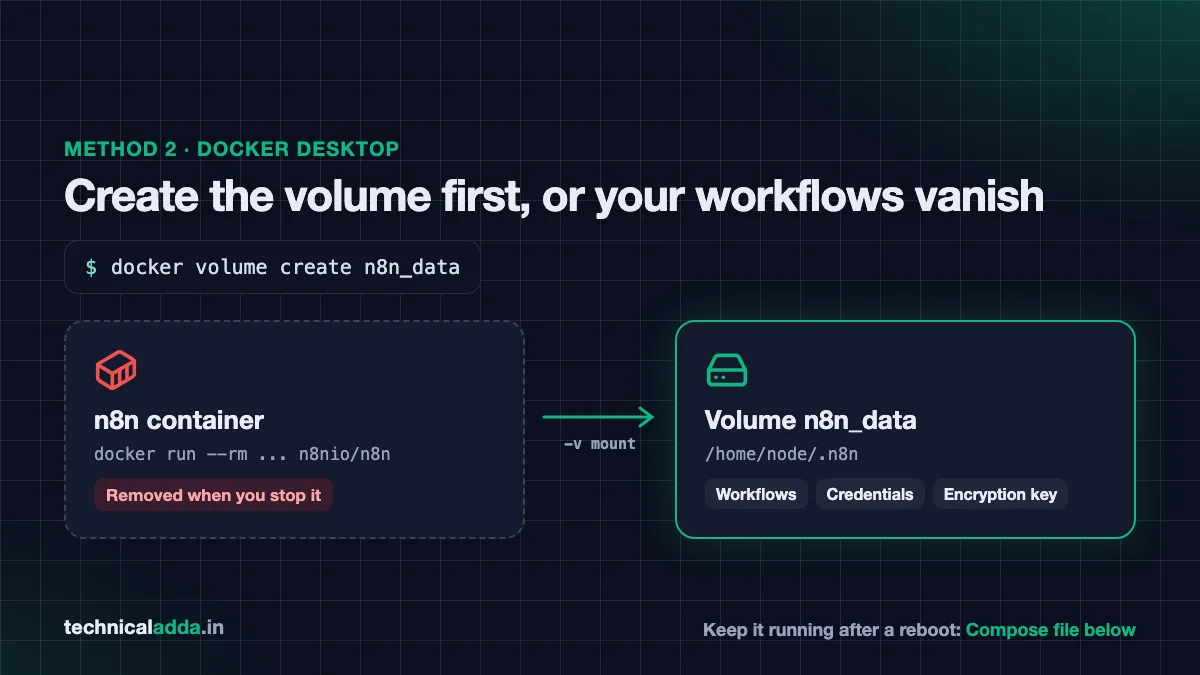
The container is thrown away each time you stop it; the n8n_data volume is what keeps your workflows, credentials and encryption key.
Keep n8n running with Docker Compose
The docker run command above stops when you close the terminal. If you want n8n to start every time Docker Desktop starts, use a small Compose file instead.
Create a folder called n8n-local, and inside it a file named compose.yaml:
services:
  n8n:
    image: n8nio/n8n
    container_name: n8n
    restart: unless-stopped
    ports:
      - "5678:5678"
    environment:
      - GENERIC_TIMEZONE=Asia/Kolkata
      - TZ=Asia/Kolkata
      - N8N_ENFORCE_SETTINGS_FILE_PERMISSIONS=true
    volumes:
      - n8n_data:/home/node/.n8n

volumes:
  n8n_data:
    external: true
external: true tells Compose to reuse the n8n_data volume you created earlier, so workflows you built with docker run carry over. Start it from inside the folder:
docker compose up -d
Stop it with docker compose down. With restart: unless-stopped, n8n comes back on its own after a reboot as long as Docker Desktop is set to start when you sign in (Docker Desktop > Settings > General).
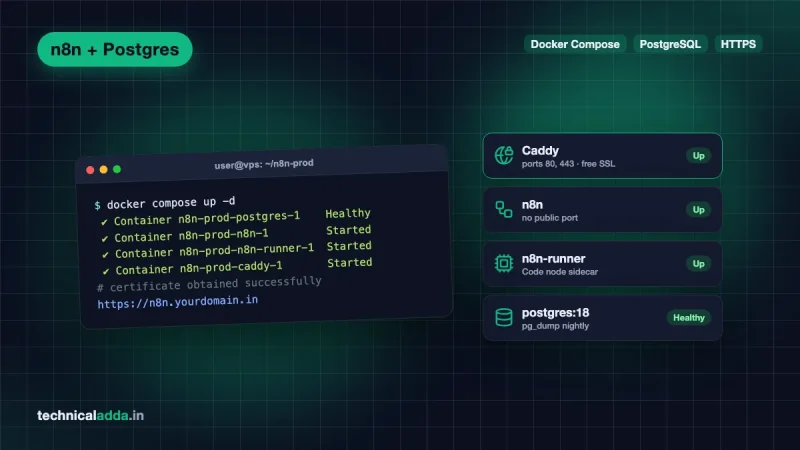
This is the same shape as a server setup, minus the domain and HTTPS. When you're ready for that, our guide to self-host n8n with Docker adds Postgres and SSL on top.
First login and the free licence key
The first time you open localhost:5678, n8n asks you to create an owner account with your email, name and password. This account lives only on your machine; it isn't an n8n.io cloud account.
After setup, n8n offers a free licence key for the Community edition. According to the Community edition features page (opens in new tab), registering adds three features: folders to organise workflows, debug in editor (copy and pin data from a past run), and custom execution data. Enter your email, then click the button in the email n8n sends, or paste the key under Settings > Usage and plan > Enter activation key. Once activated, the docs say it doesn't expire.
Some features stay out of the free self-hosted edition, including SSO, projects, environments and Git-based version control. None of them matter for learning on a laptop.
Test webhooks on a local n8n
A Webhook node on a local n8n gives you a URL starting with http://localhost:5678/webhook-test/. That works for tests you trigger from your own laptop, for example with curl or Postman. It doesn't work for Telegram, GitHub, Razorpay or any outside service, because they can't reach "localhost" on your machine.
Older guides tell you to run n8n start --tunnel. The n8n 2.0 breaking changes (opens in new tab) page says that option was removed, so use a tunnel tool instead. Cloudflare's Quick Tunnels (opens in new tab) need no account:
- Install
cloudflaredfor your system from Cloudflare's downloads page. - Run
cloudflared tunnel --url http://localhost:5678. - Copy the
https://<random-words>.trycloudflare.comaddress it prints. - Restart n8n with that address as the webhook URL. With Docker, add
-e WEBHOOK_URL="https://<random-words>.trycloudflare.com/"to the run command (or theenvironmentlist in compose.yaml). n8n 2.30.0 and later also accept the newer nameN8N_WEBHOOK_URL.
Now the Webhook node shows the public address, and outside services can call it. Cloudflare says Quick Tunnels are for testing only, with no uptime guarantee, and the address changes every time you start one. For webhooks that must work all day, a VPS is the right home.
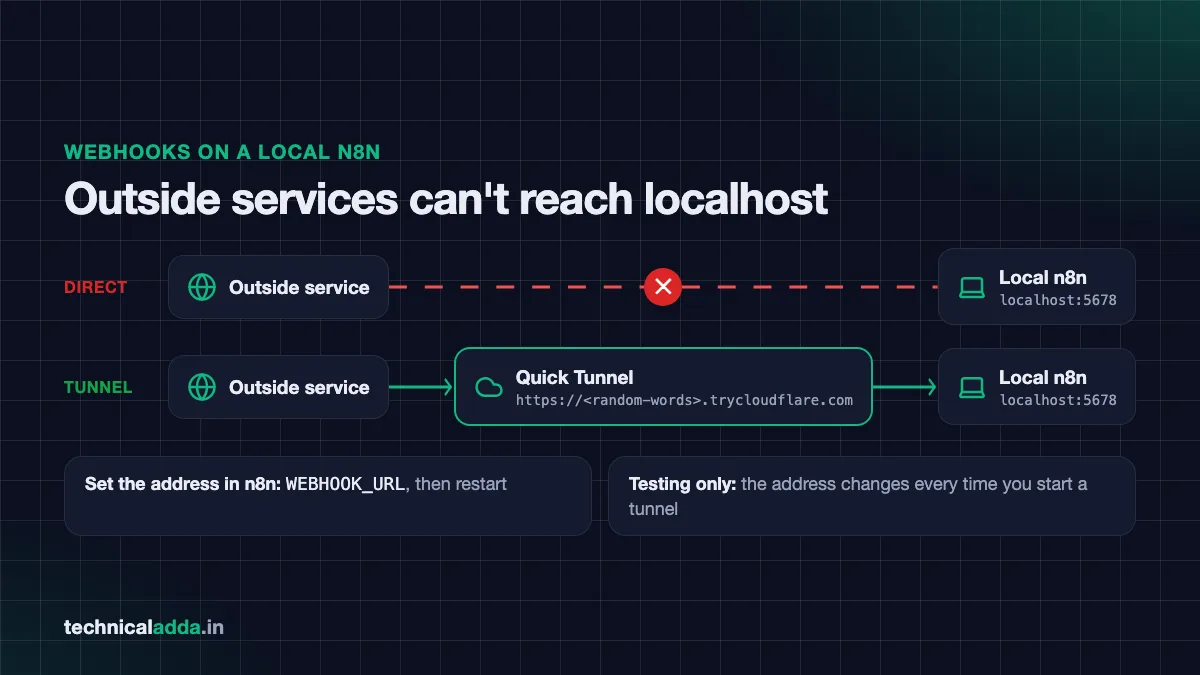
Outside services can't reach localhost, so a Quick Tunnel and WEBHOOK_URL give your local n8n a temporary public address for webhook tests.
Connect n8n to a local AI model with Ollama
Running n8n and an AI model on the same laptop gives you a free, private playground for AI agents. If you haven't installed a local model yet, start with our guide to run an LLM locally on your laptop, then come back.
In n8n, add an AI Agent node, choose the Ollama Chat Model sub-node and create an Ollama credential. The base URL depends on how you run n8n:
| How n8n runs | Ollama runs | Base URL to use |
|---|---|---|
| npx or npm | On the laptop | http://localhost:11434 (try http://127.0.0.1:11434 if it fails) |
| Docker Desktop | On the laptop | http://host.docker.internal:11434 |
| Docker (Linux, no Desktop) | On the laptop | http://host.docker.internal:11434 plus --add-host host.docker.internal:host-gateway |
| Docker | In another container | The Ollama container's name on a shared Docker network |
The Docker row trips up most people. n8n's Ollama troubleshooting page (opens in new tab) explains that inside a container, "localhost" means the container itself, so localhost:11434 finds nothing. Docker Desktop sets up host.docker.internal automatically to reach your laptop. The same page says Ollama may need to listen on all interfaces (0.0.0.0) for the container to reach it.
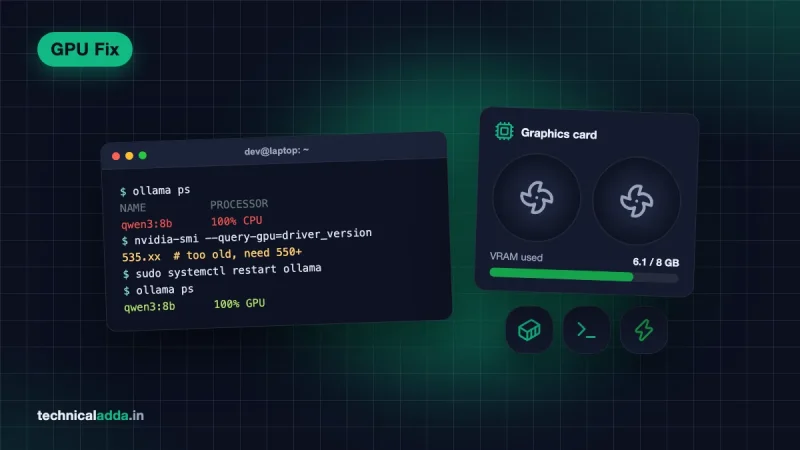
If replies are painfully slow, the model may be running on the CPU. Our Ollama not using GPU fix walks through that. And if you want n8n to call tools through the Model Context Protocol, read what an MCP server is first.
Update, back up and move to a VPS
Update n8n
- npm:
npm update -g n8n. With npx, add the tag:npx n8n@latest. - Docker run:
docker pull n8nio/n8n, stop the container, and run the same command again. - Docker Compose:
docker compose pull, thendocker compose down, thendocker compose up -d. - Docker Desktop app: open Images, pull
n8nio/n8nagain, and restart the container.
Read the release notes before a major version jump. n8n 2.0, for example, disabled the Execute Command and Local File Trigger nodes by default for security, which surprised people who used them for local scripts.
Back up your workflows
The n8n CLI exports every workflow and credential to separate files. With Docker:
docker exec -u node -it n8n n8n export:workflow --backup --output=/home/node/.n8n/backups/
docker exec -u node -it n8n n8n export:credentials --backup --output=/home/node/.n8n/backups/
docker cp n8n:/home/node/.n8n/backups ./n8n-backups
On the npm route, run the same n8n export:... commands directly in your terminal. Copy the backup folder to Google Drive or a pen drive; a laptop is a single point of failure.
Move to a VPS when you need it to stay on
A local n8n only runs while your laptop is awake and online. Schedules don't fire when the lid is closed, and webhooks fail when the tunnel stops. Once a workflow matters (lead forms, WhatsApp replies, daily reports), move it to a server.
- Export workflows and credentials as above.
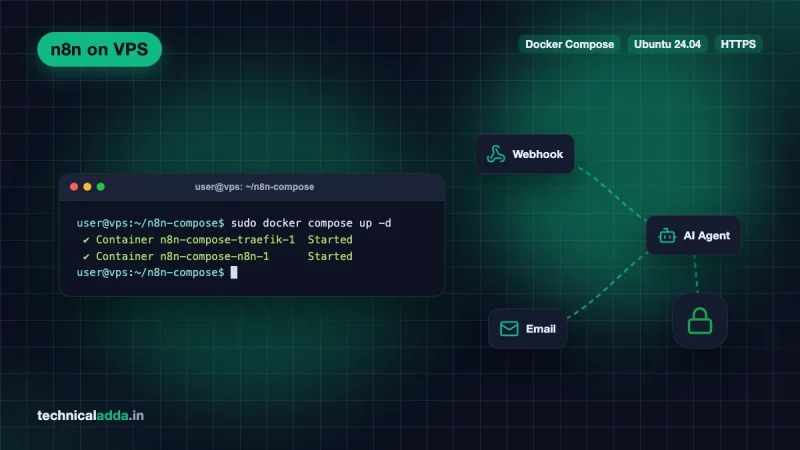
- Set up n8n on the server. Our step-by-step guide to install n8n on a VPS covers Ubuntu 24.04, Docker Compose and free HTTPS.
- Import with
n8n import:workflow --separate --input=<folder>and the matchingimport:credentialscommand. Imported workflows arrive switched off, so activate them after checking.
Credentials are encrypted with your local instance's key. The n8n CLI docs describe a --decrypted export for moving them to an instance with a different key, but that file holds every password and API key in plain text, so delete it as soon as the import is done. Re-entering a handful of credentials by hand is often safer.
Our VPS guide suggests 4 GB of RAM as the comfortable size for personal and small business automations. if you want a server with an India-friendly price and UPI payment.
Common errors on Windows and Mac
| Error or symptom | Cause | Fix |
|---|---|---|
npx.ps1 cannot be loaded because running scripts is disabled |
PowerShell execution policy on Windows | Run the command in Command Prompt, or run Set-ExecutionPolicy -Scope CurrentUser RemoteSigned in PowerShell |
| n8n refuses to start, Node version error | Node.js outside 20.19 to 24.x | Install Node.js 24 LTS and check node -v |
| "WSL 2 installation is incomplete" or virtualisation error | WSL missing or virtualisation off in BIOS | Run wsl --install or wsl --update, enable virtualisation (Intel VT-x or AMD SVM) in BIOS |
port is already allocated on 5678 |
Another n8n or app using the port | Stop the old container, or map another port: -p 5679:5678 and open localhost:5679 |
| Workflows vanished after restart | Container run without a volume | Always mount -v n8n_data:/home/node/.n8n |
| "Secure cookie" error when opening n8n from another device | Visiting over plain http from a LAN IP | Use localhost on the same machine; for a trusted home network only, set N8N_SECURE_COOKIE=false |
| Ollama credential test fails in Docker | Using localhost inside the container | Use http://host.docker.internal:11434 |
| Schedules fire at the wrong time | Time zone left at the default | Set GENERIC_TIMEZONE=Asia/Kolkata |
On a Mac with Apple silicon, the official n8nio/n8n image runs natively, so there's no extra step. If Docker Desktop itself feels slow, raise its memory limit under Settings > Resources.
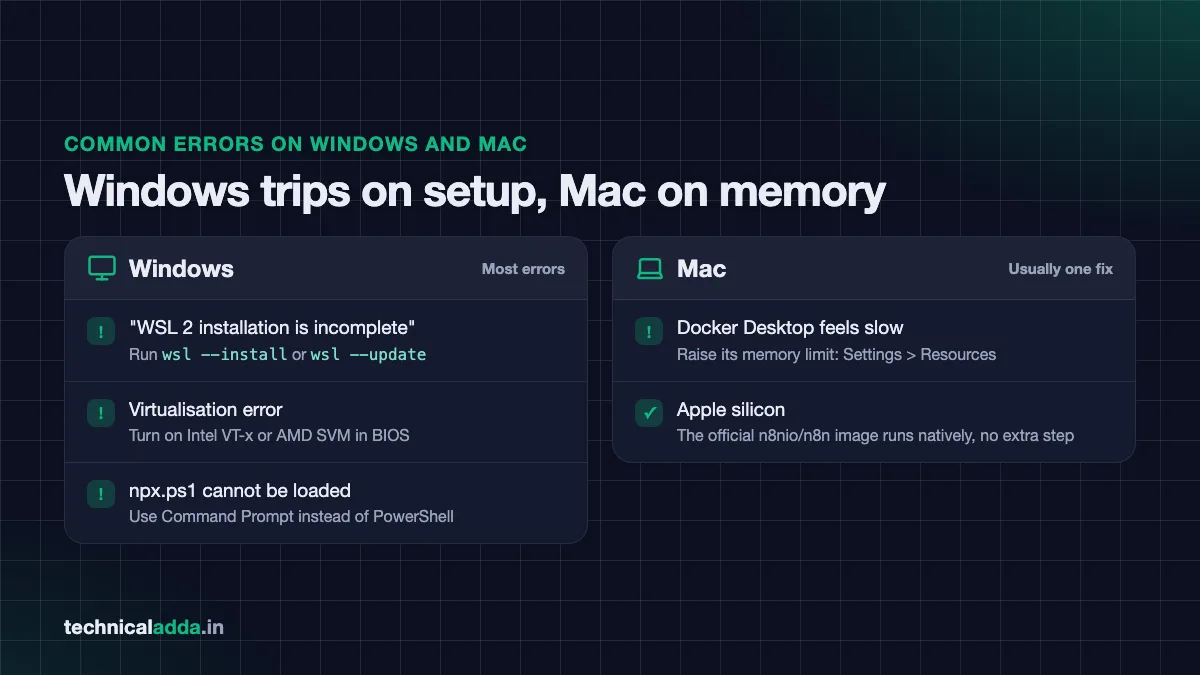
Most Windows errors trace back to WSL, BIOS virtualisation or PowerShell, while a Mac usually only needs more memory for Docker.
More automation and AI coding guides are in our AI coding section.
What to get right on your first local n8n
- The quickest n8n local setup is
npx n8nwith Node.js 24, then localhost:5678. n8n's docs say npm installs are deprecated from n8n 3.0. - Docker Desktop is the better long-term route: no Node.js to manage, and the same image you'd run on a server.
- Always mount a volume (
n8n_data:/home/node/.n8n) so workflows survive restarts, and setGENERIC_TIMEZONE=Asia/Kolkata. - The old
--tunneloption is gone since n8n 2.0. Use a Cloudflare Quick Tunnel plusWEBHOOK_URLfor outside webhooks. - In Docker, reach Ollama on your laptop at
host.docker.internal:11434, not localhost. - Move to a VPS once workflows need to run when your laptop is off.
Pick npx or Docker today, plan the VPS for later
Both routes take about ten minutes: npx n8n for a quick look, or Docker Desktop with the n8n_data volume for a setup you'll keep. Whichever n8n local setup you choose, set the time zone to Asia/Kolkata, back up with the CLI export, and use a Cloudflare Quick Tunnel when you need to test outside webhooks. When a workflow needs to run while your laptop sleeps, follow our guide to install n8n on a VPS and move it there.
FAQ
Frequently Asked Questions
Is n8n free to run locally?
Yes. The self-hosted Community edition is free under n8n's Sustainable Use License for your own or internal business use, with no execution limits. You only pay for the computer it runs on. Registering for the free licence key adds folders, debug in editor and custom execution data. Features like SSO, projects and Git version control need a paid plan.
How do I install n8n on Windows?
Install Docker Desktop with the WSL 2 option, create a volume with docker volume create n8n_data, and run the n8nio/n8n image with -p 5678:5678 and that volume mounted. Then open http://localhost:5678 (opens in new tab). If you prefer Node.js, install Node.js 24 LTS and run npx n8n from Command Prompt. Docker needs hardware virtualisation turned on in BIOS.
What Node.js version does n8n need?
n8n's npm documentation says it needs Node.js between version 20.19 and 24.x, inclusive. Node.js 24 LTS is the safest choice in late 2026. Node.js 26 is newer but falls outside that supported range, so n8n may fail to install or start on it. Check your version with node -v before running npx n8n.
Is Docker or npm better for running n8n locally?
Docker is better for most people. It needs no Node.js, keeps data in a named volume, matches how n8n runs on servers, and stays supported after n8n's docs deprecate npm installs from version 3.0. npm or npx is fine for a quick first look if you already have Node.js 24 installed and don't want to install Docker Desktop.
Where does a local n8n store my workflows?
With npm or npx, n8n stores everything in a .n8n folder inside your user folder, including the SQLite database and encryption key. With Docker, data lives in the volume mounted at /home/node/.n8n, such as n8n_data. If you run the container without a volume, your workflows are lost when it's removed, so always mount one.
Can webhooks work on a local n8n?
Yes, but only for requests from your own machine unless you add a tunnel. Outside services can't reach localhost. Run a Cloudflare Quick Tunnel with cloudflared tunnel --url http://localhost:5678, then set WEBHOOK_URL to the trycloudflare.com address and restart n8n. The address changes each time, so use a VPS for permanent webhooks.
How do I connect n8n in Docker to Ollama?
In the Ollama credential, set the base URL to http://host.docker.internal:11434 instead of localhost. Inside a container, localhost points to the container itself, not your laptop. Docker Desktop on Windows and Mac sets up host.docker.internal automatically. On Linux without Docker Desktop, add --add-host host.docker.internal:host-gateway to the run command.
Does n8n keep running when my laptop is off?
No. A local n8n runs only while your laptop is on, awake and running Docker or the n8n process. Schedule triggers don't fire and webhooks fail while it's off or asleep. For workflows that must run around the clock, export them and move n8n to a VPS or n8n Cloud.
Is the n8n desktop app still available?
No. n8n stopped maintaining its desktop app, and the app's GitHub repository is now archived. Guides that tell you to download it are out of date. Use npx or Docker Desktop instead; both give you the same editor in your browser at localhost:5678, and your workflows can be exported and imported between setups.
Where to buy
-
Visit official site (opens in new tab)
Move to a VPS when you need it to stay on